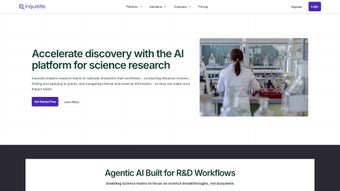

Download Inquisite – AI‑Powered Collaborative Research Platform
Overview & Core Features
Inquisite is a cloud‑native, AI‑driven research platform designed to accelerate every stage of the scientific workflow. By embedding intelligent assistants directly into a collaborative web workspace, the tool eliminates the manual, time‑consuming tasks that traditionally slow down hypothesis generation, literature review, grant hunting, and manuscript drafting. Researchers can focus on creativity and analysis while the AI curates relevant publications, highlights funding opportunities, and even drafts initial proposal sections.
Security is baked in with end‑to‑end encryption, ISO‑27001 compliance, and granular access controls, making the platform suitable for university labs, biotech startups, and large R&D departments alike. Continuous subscription updates guarantee that users always benefit from the latest AI models, regulatory templates, and integration enhancements. Inquisite’s real‑time editing, version‑controlled knowledge base, and drag‑and‑drop workflow builder together create a unified environment where data, ideas, and documents coexist safely and efficiently.
- AI Research Assistant: Scans PubMed, arXiv, Web of Science, and patent databases to surface the most relevant papers and patents for any project.
- Grant Discovery Engine: Matches research topics with active funding calls, applies eligibility filters, and sends deadline alerts.
- Proposal Drafting Helper: Generates first‑draft background, objectives, and methodology sections based on a short project brief.
- Real‑Time Collaboration: Shared workspaces, live comments, and simultaneous editing across institutions.
- Version‑Controlled Knowledge Base: Every entry, analysis, and manuscript revision is saved with a complete audit trail.
- Secure Cloud Storage: End‑to‑end encryption protects intellectual property and complies with GDPR, HIPAA, and other standards.
- Customizable Workflows: Drag‑and‑drop pipeline builder lets teams tailor processes to specific experimental designs.
- Integrations & APIs: Connects with Benchling, LabArchives, Python, R, and major cloud storage providers.
- Continuous Updates: Subscription includes automatic access to AI improvements, new templates, and compliance features.
Installation, Usage & Compatibility
Step‑by‑Step Setup
- Create an Account: Visit Inquisite.com, click “Sign Up,” and verify your institutional email.
- Select a Plan: Choose Individual, Team, or Enterprise. All plans provide a 14‑day free trial with full feature access.
- Configure Your Workspace: Click “New Project,” name your research area, and invite collaborators with role‑based permissions.
- Connect Data Sources: Use the “Integrations” tab to link Google Drive, OneDrive, or lab repositories. API keys can be generated for programmatic access.
- Activate AI Assistants: Enable the Research Assistant, Grant Finder, or Proposal Writer from the “Assistants” menu and supply a concise project description.
- Start Collaborating: Upload datasets, add notes, and draft manuscripts using the built‑in markdown editor. Real‑time comments appear in the sidebar.
- Export & Publish: Export projects as PDF, Word, or LaTeX, or submit directly to grant portals via secure APIs.
Best Practices for Maximum Efficiency
Define clear research objectives in the project’s “Goal” field; this guides the AI to prioritize the most relevant literature. Schedule regular sync meetings using the built‑in calendar to review AI‑generated suggestions before moving forward. Tag major milestones (e.g., “Literature Review Complete”) to create a transparent audit trail for reviewers and funding agencies. Leverage the workflow builder to automate repetitive steps such as data cleaning or statistical reporting, and save templates for reuse across teams. Finally, regularly export snapshots of your work to a local drive for an additional backup layer, especially before major version changes.
Inquisite runs entirely in the browser, supporting Chrome, Edge, Firefox, and Safari on Windows, macOS, Linux, as well as iOS and Android devices. No local installation is required, and the platform automatically scales with the number of users.
Compatibility, Pros & Cons, and Frequently Asked Questions
Pros
- AI‑driven literature and grant search saves countless research hours.
- Fully collaborative environment promotes transparency and team cohesion.
- Secure, encrypted cloud storage protects sensitive data.
- Seamless integration with existing lab and data analysis tools.
- Continuous feature updates included in the subscription.
Cons
- Requires a stable internet connection; offline work is limited.
- Subscription cost may be a barrier for very small labs or independent researchers.
- Learning curve for advanced workflow customization.
Inquisite delivers a compelling blend of AI assistance and collaborative features that truly accelerate scientific discovery. While the price reflects its enterprise‑grade capabilities, the measurable time savings—especially in grant acquisition and manuscript preparation—often outweigh the cost for research‑intensive organizations.
Frequently Asked Questions
Is Inquisite compatible with my institution’s data security policies?
Yes. Inquisite uses end‑to‑end encryption, ISO‑27001 compliance, and offers SSO integration with LDAP, Azure AD, and Okta. Administrators can enforce granular access controls and audit logs to meet strict compliance standards.
Can I use Inquisite on a mobile device while in the lab?
Absolutely. The responsive web design works on iOS and Android browsers, allowing you to view literature, add notes, and respond to collaborator comments without a desktop.
How does the AI Research Assistant avoid bias in literature recommendations?
The assistant indexes multiple sources—PubMed, arXiv, Web of Science, and patents—and applies a diversity filter that balances recent high‑impact papers with foundational works, reducing over‑reliance on any single source.
What happens to my data if I cancel the subscription?
Upon cancellation, you retain read‑only access for 30 days to export all project data. After this period, the data is securely deleted from Inquisite’s servers in accordance with GDPR and other data‑retention policies.
Is there a free version or trial available?
Inquisite offers a 14‑day free trial with full feature access. No credit card is required to start the trial, allowing you to evaluate the platform’s impact on your research workflow before committing.
Conclusion – Why Inquisite Is the Smart Choice for Modern Research Teams
In the hyper‑competitive world of scientific research, speed, collaboration, and security are no longer optional—they are essential. Inquisite brings AI‑driven automation into a secure, browser‑based workspace, turning hours of manual literature scouting and grant hunting into seconds of intelligent assistance. Its real‑time collaboration, version‑controlled knowledge base, and seamless integrations ensure that teams can work from anywhere without sacrificing data integrity. While the subscription reflects its enterprise‑grade capabilities, the measurable return on investment—through faster discovery cycles and higher grant success rates—makes it a financially sound decision for any organization committed to cutting‑edge research. Download Inquisite today, start your free trial, and experience a faster, smarter way to conduct science.
Start your free trial of Inquisite now and unlock the future of collaborative research.






